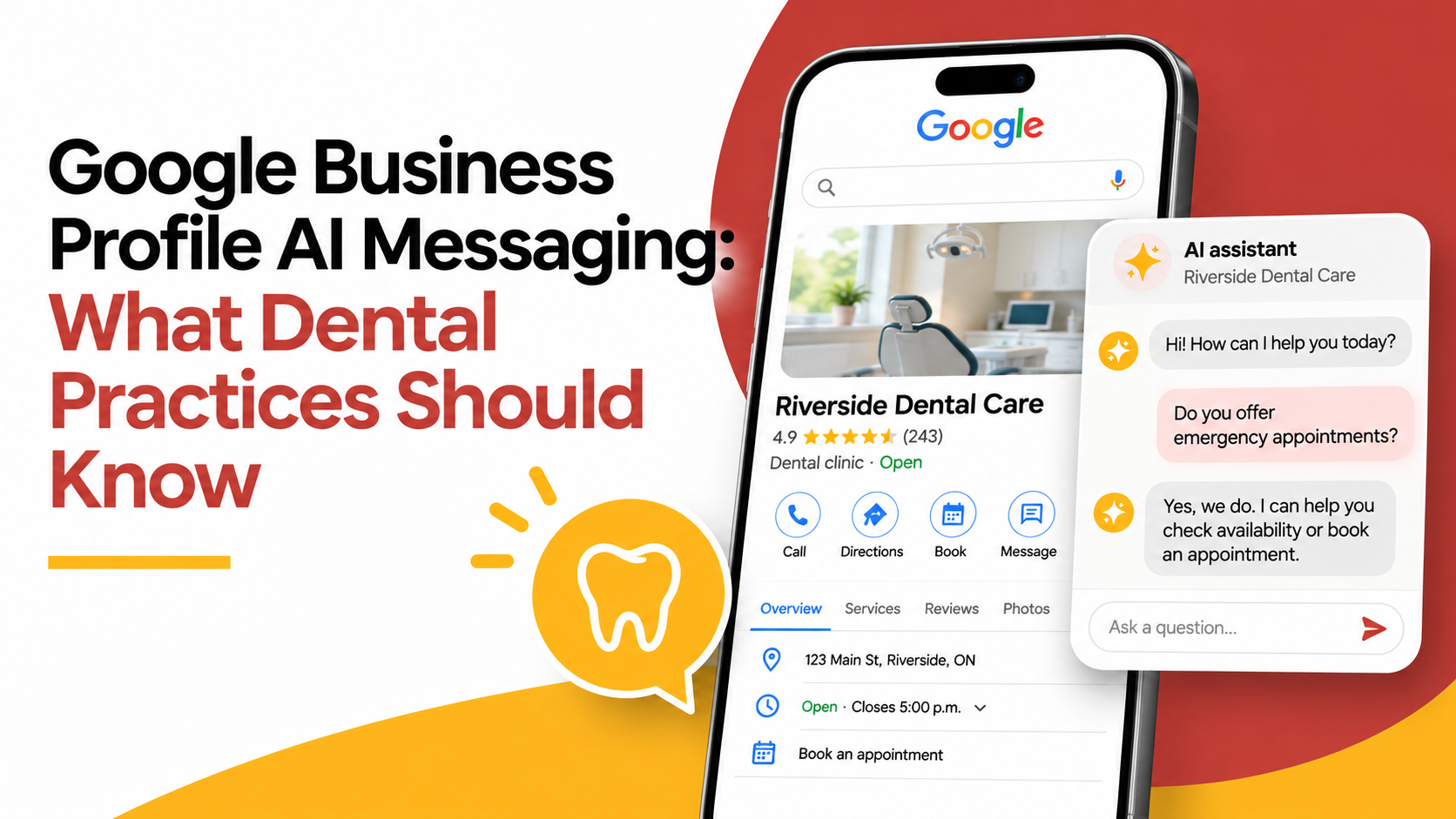
Google Business Profile AI messaging lets eligible businesses use an AI agent to answer common customer questions and help with bookings. Canadian dental practices are outside Google’s documented rollout. As of November 2026, Google lists select restaurants, beauty services, and vehicle services businesses in France, Germany, the United Kingdom, and the United States, with US availability limited to select mobile carriers. Google Business Home Help’s guide to AI-enabled messaging
Patients already use your Google Business Profile to decide whether to call, visit, or book. They want to know whether you’re accepting new patients, which office to visit, or how to reach your team about an urgent concern. Those are questions your practice can make easier to answer today.
What is Google Business Profile AI messaging?
Customers can start a conversation from an eligible business’s profile and continue it in their phone’s messaging app. The AI agent can answer routine questions, such as when the business opens, and help customers with bookings. The business can monitor conversations and step in when needed.
For a dental practice, a question about Saturday hours is straightforward. A question about swelling after a procedure needs a clear route to the dental team. Google describes a handoff process for sensitive topics, including health conditions, and for customers who ask to speak with a person.
Google Business Profiles are becoming more than listings
A patient can check your hours, read reviews, get directions, call your office, or follow an appointment link from your profile. For some patients, that’s enough to choose which practice to contact first.
Imagine a parent looking for a dentist after work. One profile shows current hours and links directly to a page that explains how to book a first visit. Another sends them to a homepage where they still have to find the phone number and work out which location to call. The first practice helps that parent take the next step with fewer clicks.
What information does Google’s AI agent use?
Google says its messaging agent draws on the verified Business Profile and verified website URLs. That can include the business’s hours, address, phone number, and listed services.
Consider what happens when those sources give different answers. Your profile says evening appointments are available, but the location page only lists daytime hours. Or your profile lists emergency dentistry, but the website gives no instructions for reaching the office about an urgent concern. A patient still has to call to resolve the discrepancy.
Ask your front desk which questions it answers repeatedly. Those questions will help you spot where the profile or website needs a clearer answer.
Why accuracy matters for dental practices
Patients often search for a dentist while juggling work, childcare, transportation, or a time-sensitive concern. Incorrect hours can send someone to a closed office. A generic appointment link can send them to the wrong location. A form labelled “Book now” can leave someone thinking they have an appointment when they’ve only submitted a request.
Be specific about what patients can expect. If evening appointments are offered at one location, name it. If availability for urgent visits varies, explain how to contact the team. If your booking form sends a request, tell patients who will confirm it and when they can expect to hear back.
Your website gives patients the details they need
Your Business Profile can show that you offer dental implants or see children. Your website can explain what an implant consultation involves, what to bring to a first visit, and how to reach the right office.
Put those answers where patients are most likely to look:
New-patient page: Explain how to request a visit and what to bring.
Emergency dentistry page: Explain how to reach the office during business hours and what instructions to follow after hours.
Location pages: Give each office its own hours, phone number, address, and booking options.
Service pages: Answer common questions about the service and explain how to arrange a consultation.
Keep important details in readable page text. A photo can show patients which entrance to use, and a short sentence beside it can give them the same directions. Link relevant pages where patients need a next step, such as from a service page to the location that offers it. Google Search Central’s guidance on AI features and your website
What dental practices can do right now
Check each Google Business Profile
Review the address, main phone number, regular and holiday hours, services, and links for every location. If one office offers different services or sees patients at different times, make those differences clear on its profile and location page.
Test the booking path on your phone
Search for your practice as a new patient would. Tap the appointment link and check whether you land on the right page, can choose the correct office, and understand what happens after you submit the form. Try the same path from your website. Google’s guide to managing appointment and other business links
Turn common front-desk questions into website answers
Start with questions that affect whether someone calls or books. If callers often ask whether you’re accepting new patients, answer that on the new-patient page. If they repeatedly call the wrong office, make location names and phone numbers easier to distinguish. If they ask about parking or accessibility, put those details on the relevant location page.
Give patients a clear route to the dental team
Review your contact forms, appointment pages, and automated replies. Make it clear where patients should direct concerns involving symptoms, treatment, or personal information. Say when your team responds and where to find your after-hours instructions.
Do dentists need to start writing for AI?
Start with the question a patient is trying to answer. If someone wants to know whether you’re accepting new patients, give the answer in the first sentence. Then explain how to request a visit. If availability varies by location, say which offices are accepting patients and link to those pages.
Details specific to your practice make an answer more useful. Tell readers which office offers early appointments, whether there’s parking, and what happens after they submit a booking request. Keep those answers current as your practice changes.
What this could mean for local search
A patient might find you on Maps, check reviews, visit a service page, and call from your profile. AI-generated answers and messaging add more places where someone can ask a question along that path.
The practical issue is whether the answer leads somewhere useful. If the profile lists a service, the website should explain where it’s offered and how to book. If a patient reads about an urgent concern on your website, they should be able to find the right number without searching again. For more on how these changes affect dental practices, see Vitamin D’s guide to AI and digital marketing for dental practices.
What if Google expands AI messaging to dental practices?
Decide which questions your practice would be comfortable answering automatically. Hours, parking, and appointment request instructions are sensible places to start. Work out where messages about symptoms, treatment, or personal information should go.
Then assign someone to look after the channel. Who responds when a patient asks for a person? What instructions are available after hours? Who updates the answers when the office changes its schedule? If the rollout expands to your practice, review Google’s setup requirements and test the experience from a patient’s phone before adding it to your intake process.
Google Business Profile AI Messaging FAQs for Dental Practices
Make it easier for patients to find and book with your practice
Vitamin D can review your Google Business Profile, website, and appointment links to see where patients get stuck. We’ll show you what to fix first so patients can find the right office, get answers, and request an appointment more easily.